Your clinic goes with you… even when you're away.
Two separate services on your clinic's own free Cloudflare account: MaxDent Mobile to follow your clinic from your phone, and a booking link where patients book by themselves.
Free with Pro & Enterprise and during the trial
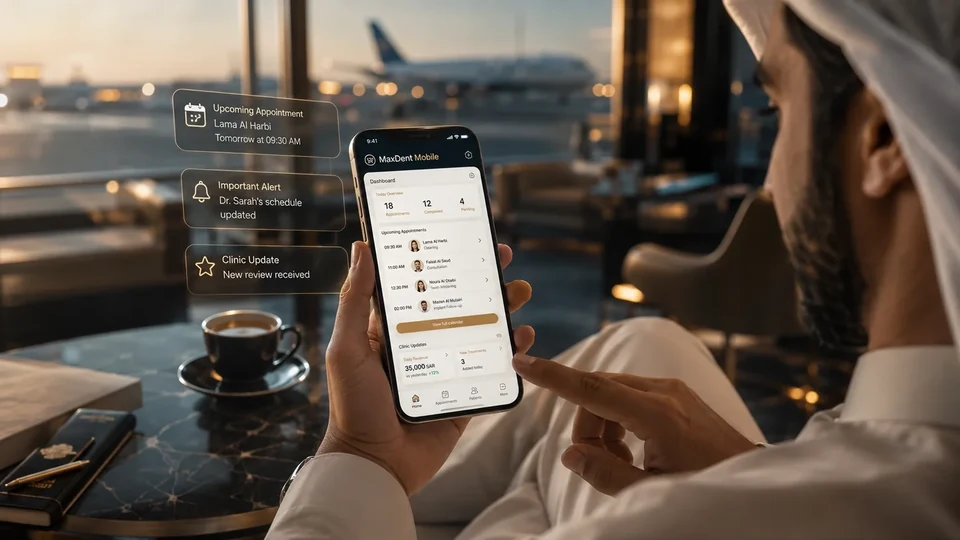
What matters reaches you fast… without the clutter.
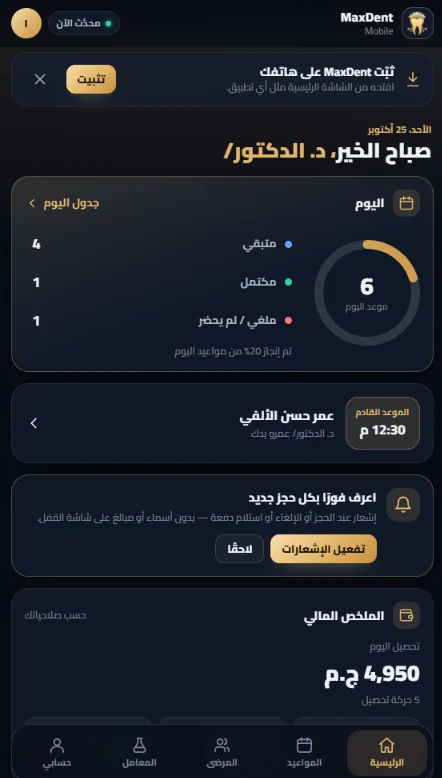
A phone interface for follow-up and reading only, according to each user's permissions inside the clinic.
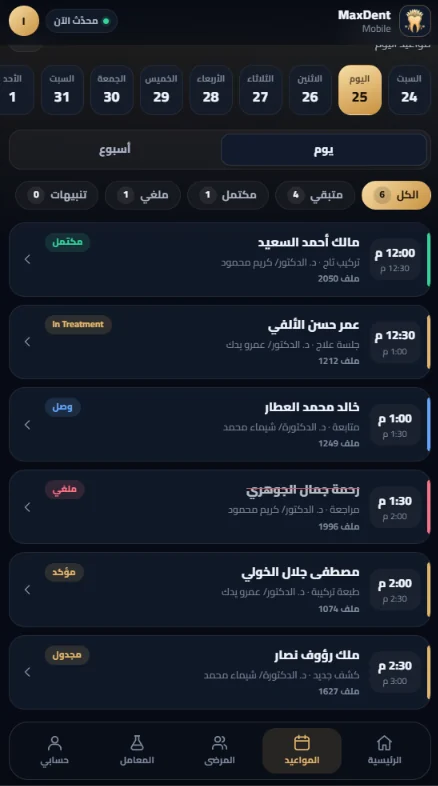
Appointments
Today's schedule and each visit's details.
Treatment plans
The patient's plan and current stage.
Patient accounts
Balance, amounts due and key transactions.
Labs
Lab work status, deliveries and delays.
Doctor notifications
New online bookings, cancellations, rescheduled appointments, patient arrivals and completed payments — each type switched on or off on the phone, with no patient name or amount on the lock screen.
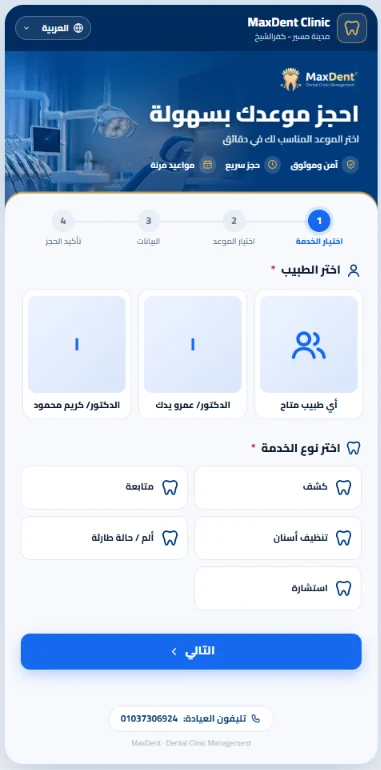
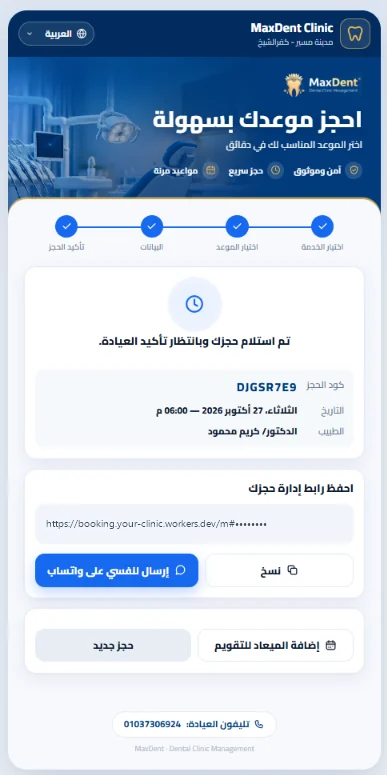
A link and a QR code in your clinic's name.
Patients choose the doctor, service and time and confirm; the booking reaches your schedule for review.
Rules you control
Limits for active bookings per phone and per day, and a pause switch for new bookings whenever you need it.
A booking page in your language
Choose the booking page's default language.
On your clinic's account
The booking page runs on the clinic's own free Cloudflare account.
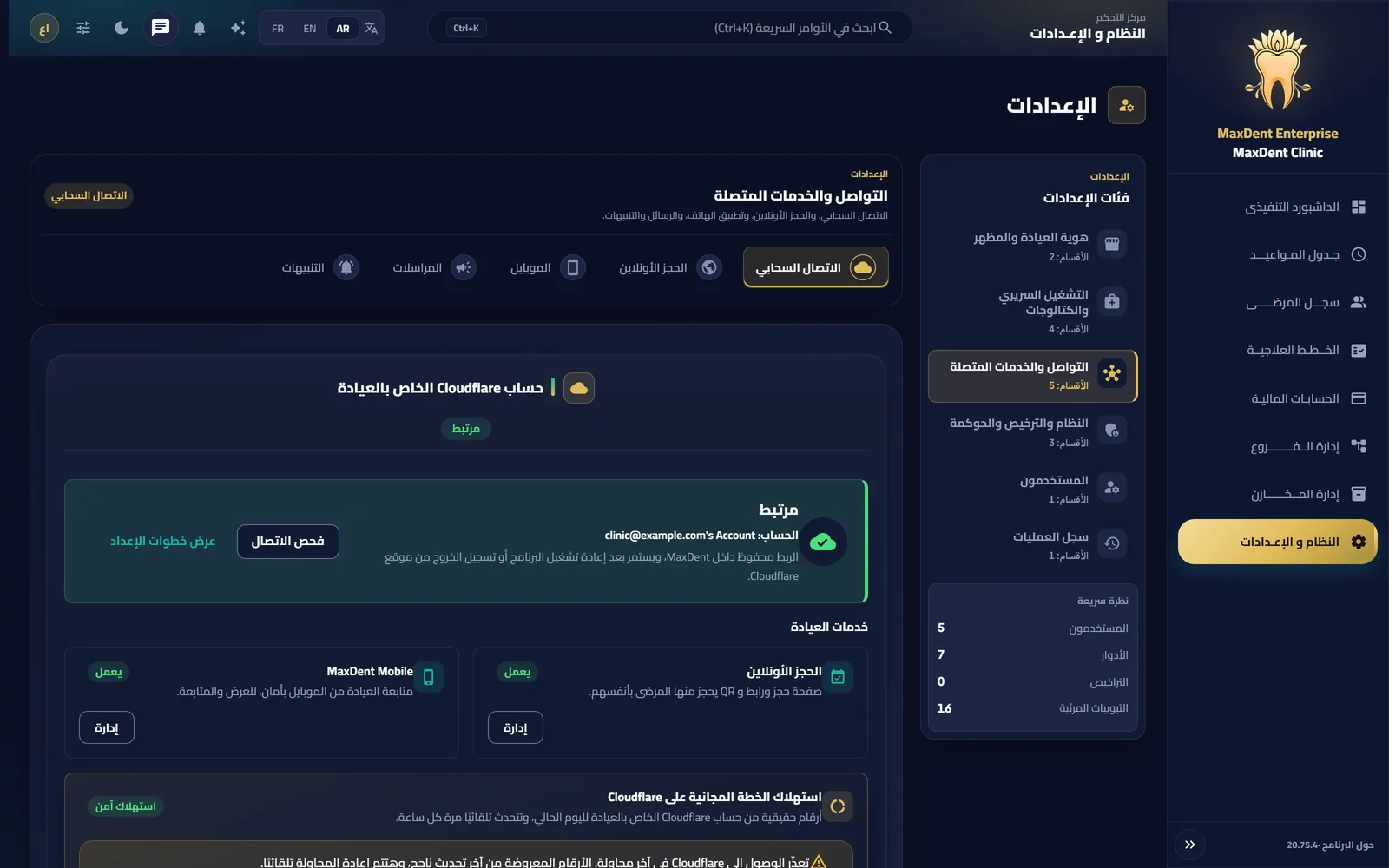
Switch on Cloud Services in minutes
- 01
Open Settings
Inside MaxDent, open Settings → “Cloud connection”.
- 02
Connect Cloudflare
Choose the clinic's Cloudflare account and approve the requested permissions. A free account is enough.
- 03
Turn the service on
From the “Mobile” or “Online Booking” tab, switch on the service you want.
- 04
Open the link on your phone
On Android open the clinic link in Chrome, on iPhone in Safari, then add it to your home screen.
Plainly
- MaxDent Mobile is for follow-up and reading per your permissions; it does not replace the app inside the clinic.
- Both services need an internet connection and run on the clinic's own Cloudflare account.
- There is no app-store app: you open the clinic link and add it to your home screen.
Try MaxDent inside your clinic first.
Then switch on Mobile and booking from the app in minutes.