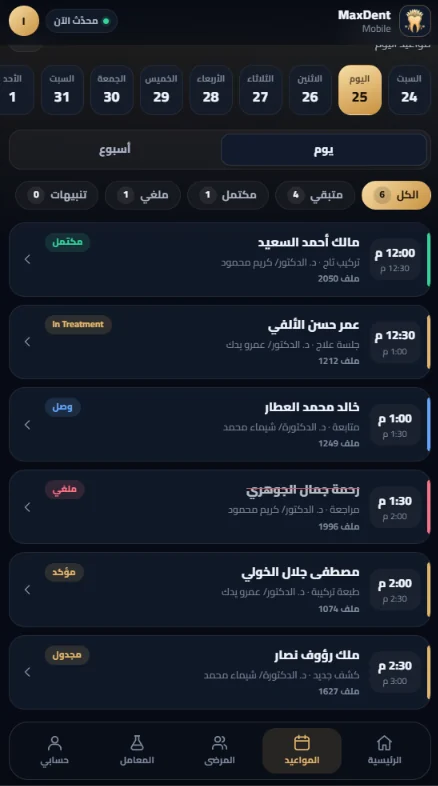
Today's board with each patient's status — arrived, in the chair, done, no-show — with medical alerts in view.
- Daily, weekly and monthly calendars
- Online bookings arrive in the schedule for review
Patients, appointments, treatment plans, imaging, prescriptions, finance and labs — one fast system that runs on your clinic network and grows from a single clinic to many branches.
No card required · the trial starts automatically after install

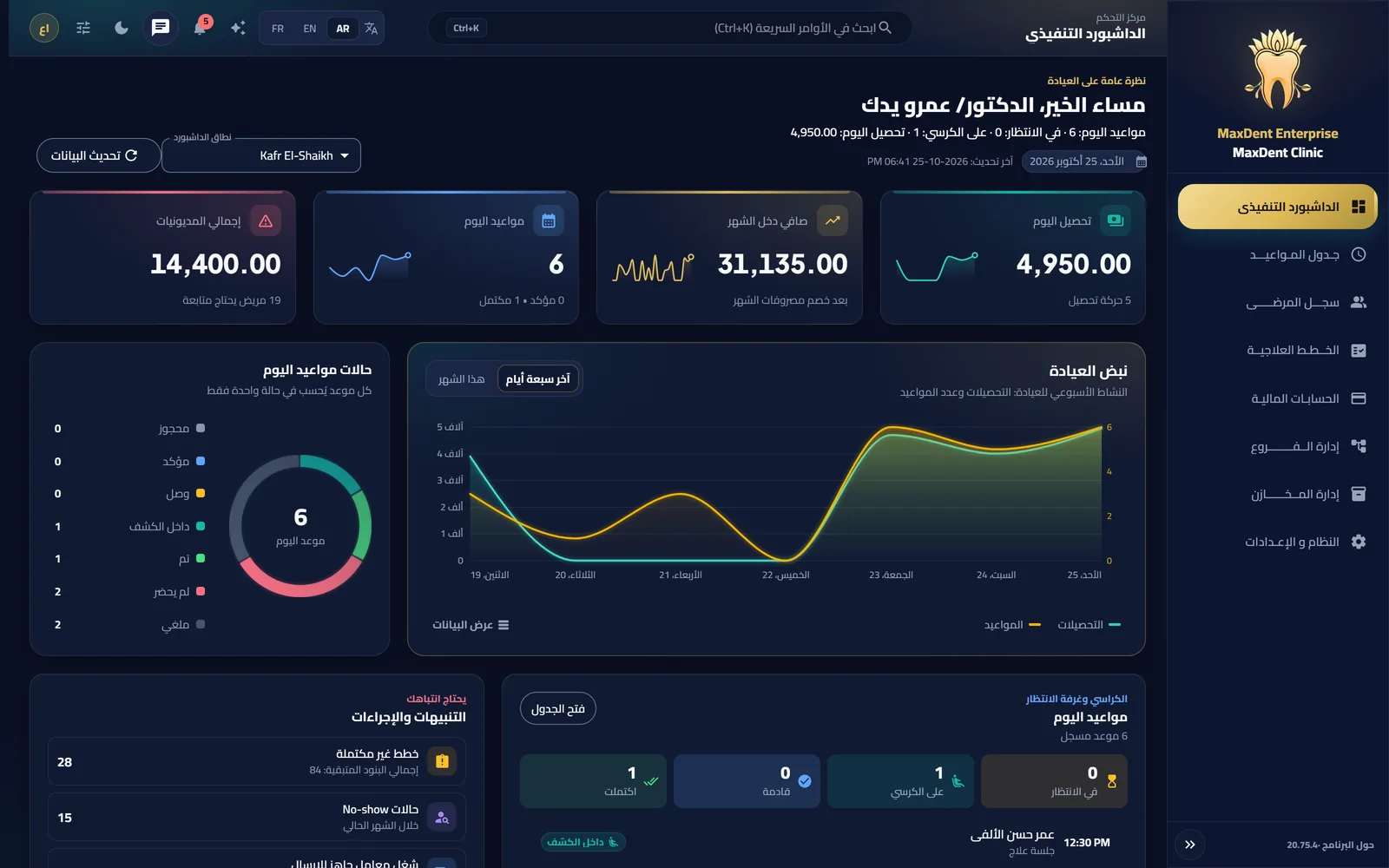
Real screens from MaxDent Enterprise — no mock-ups, no make-believe UI.
Today's board with each patient's status — arrived, in the chair, done, no-show — with medical alerts in view.
Diagnosis, treatment plan, completed procedures, odontogram, imaging and prescriptions — in one organised file.
Payments, statements, expenses, lab and doctor accounts and payroll — every number tied to the procedure behind it.
Instant search, balances, follow-up and alerts, with per-user permissions and an audit log — and in Enterprise, one patient file across branches.
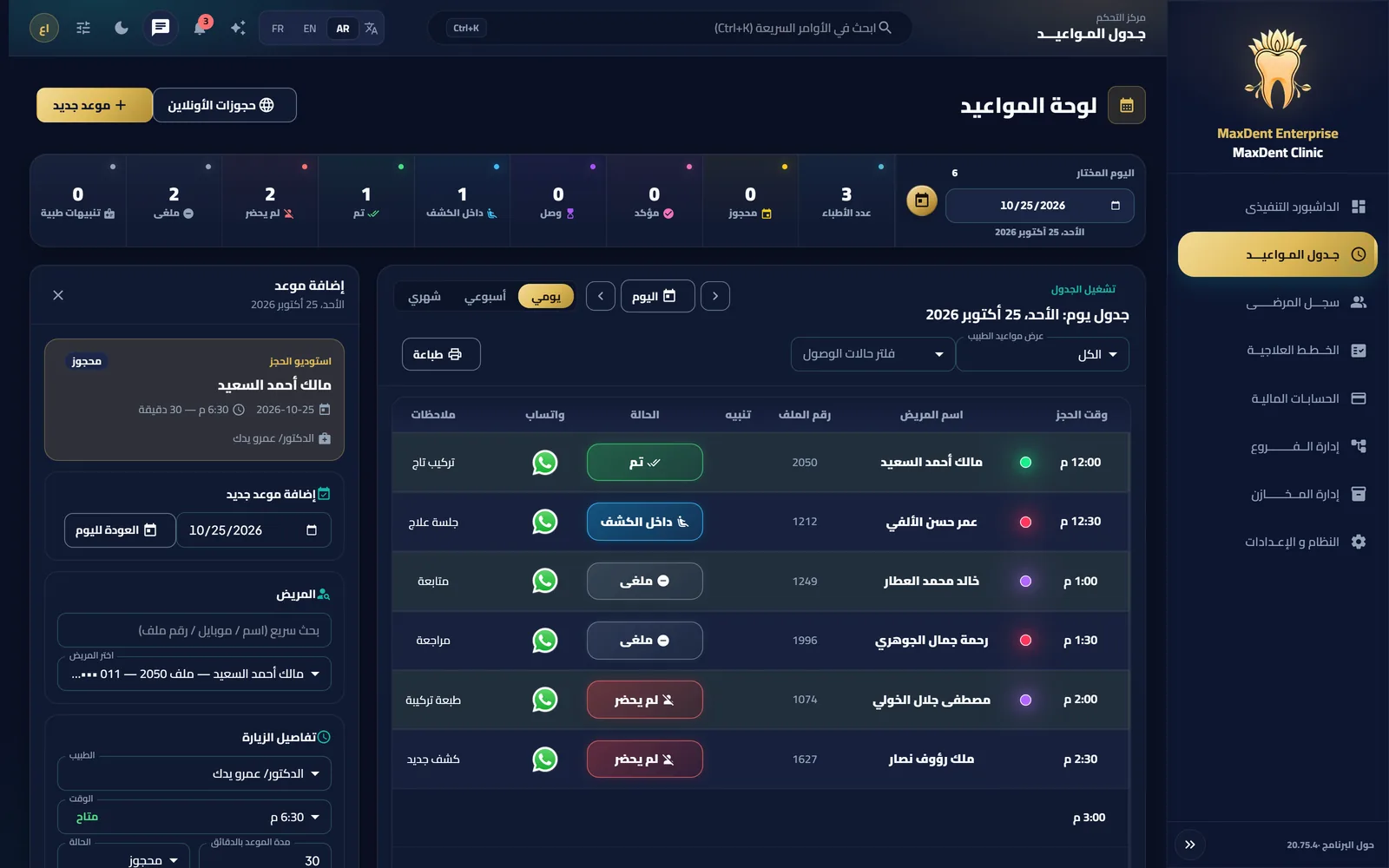
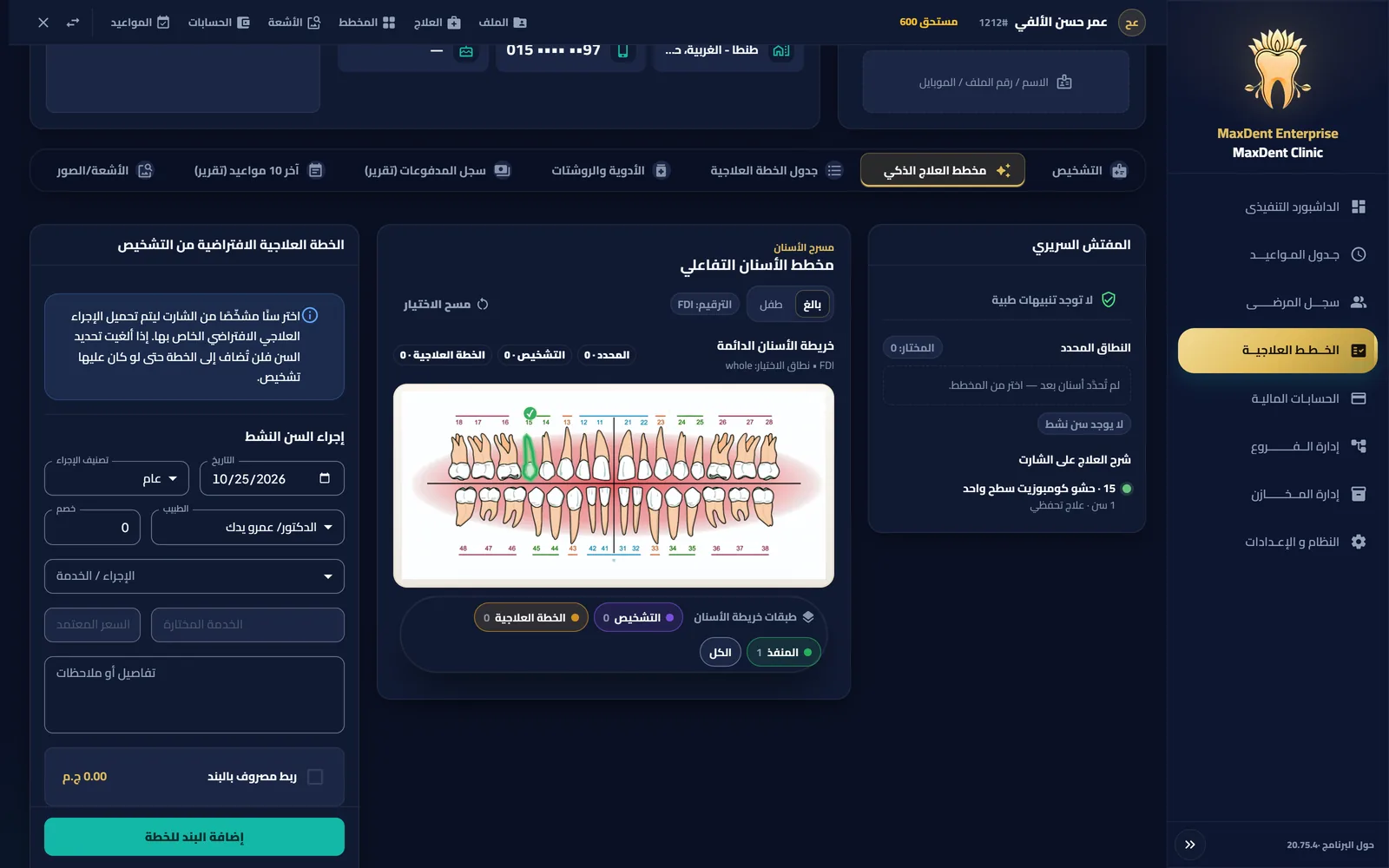
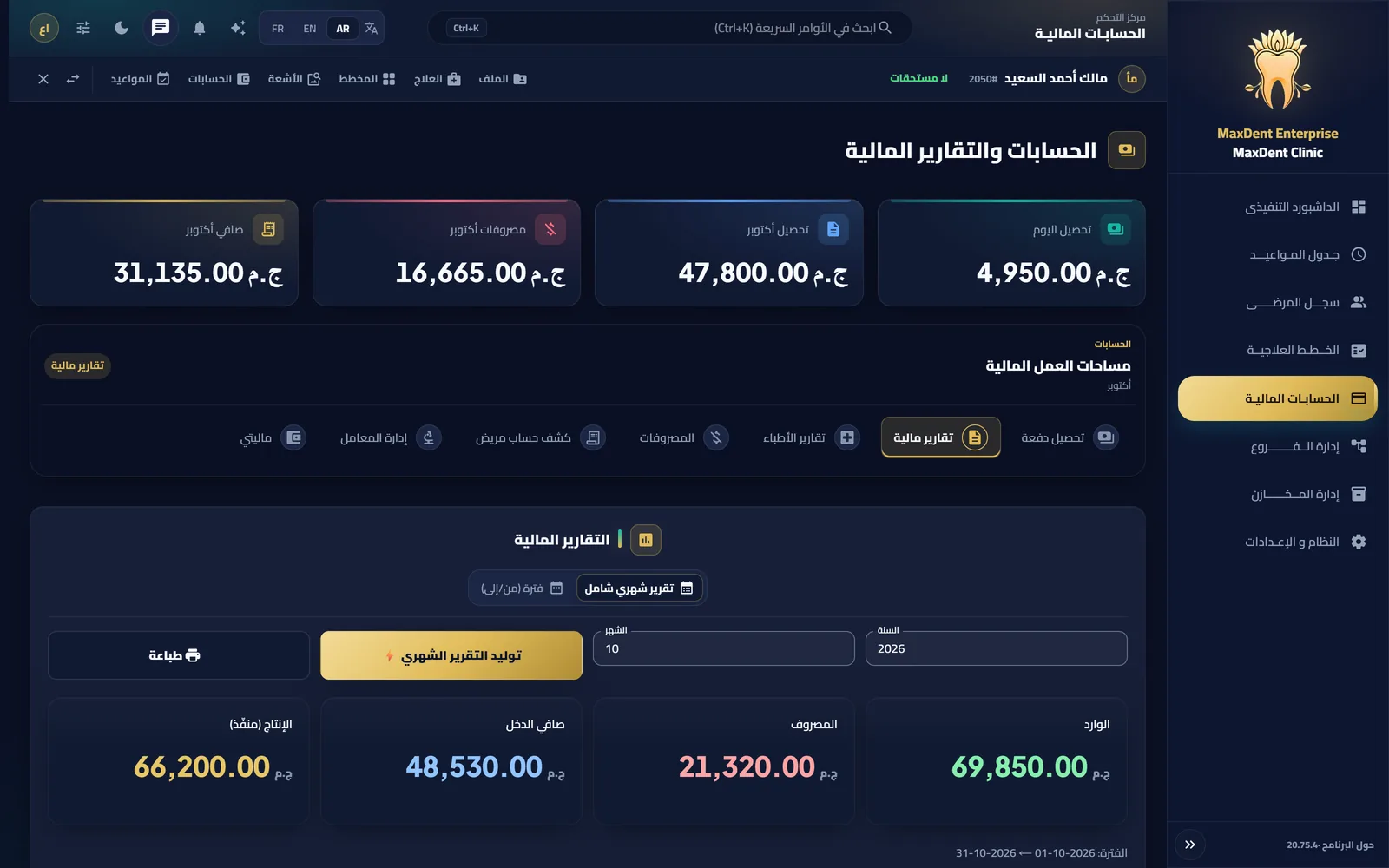
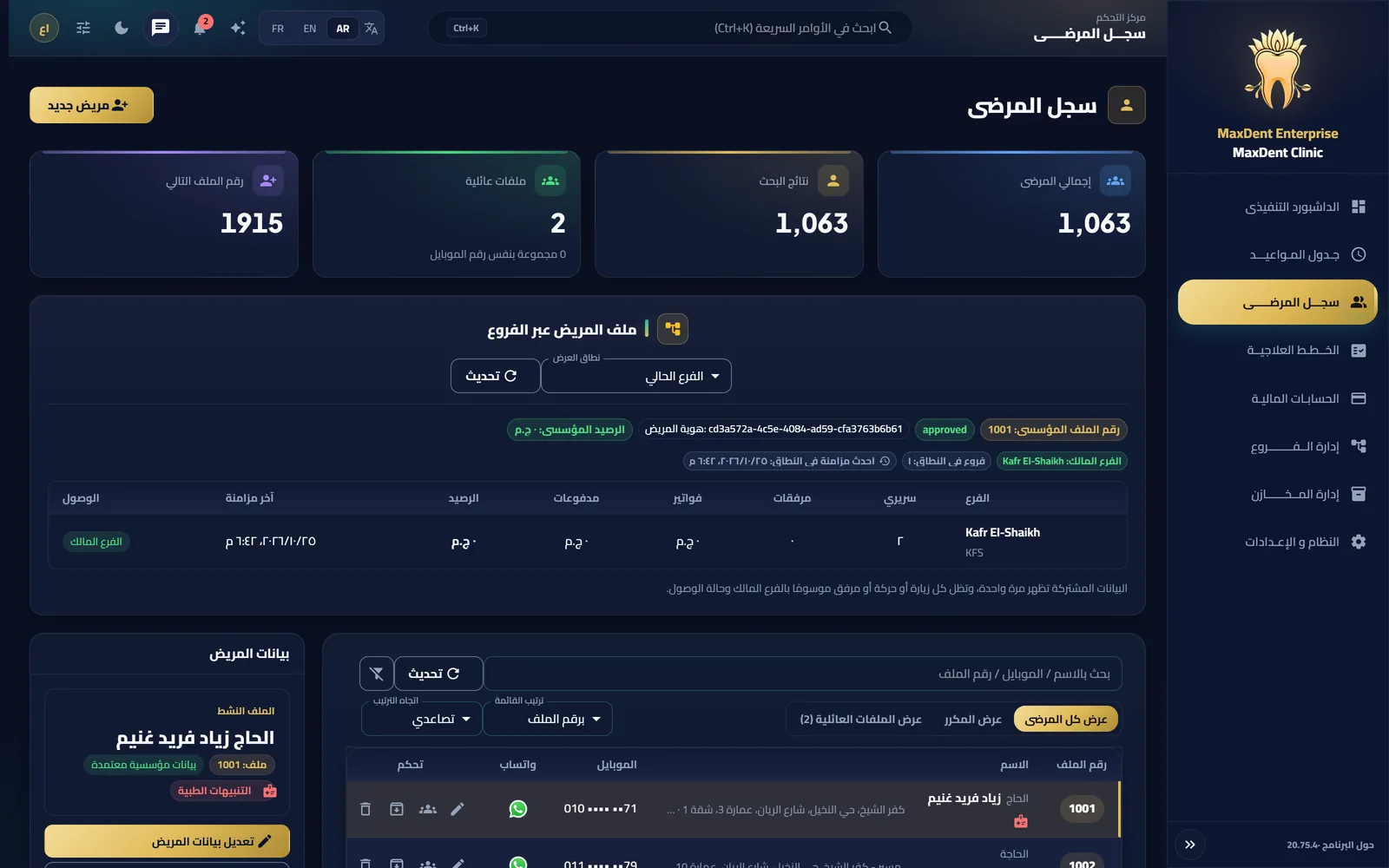
Actual screens · MaxDent Enterprise · demo data
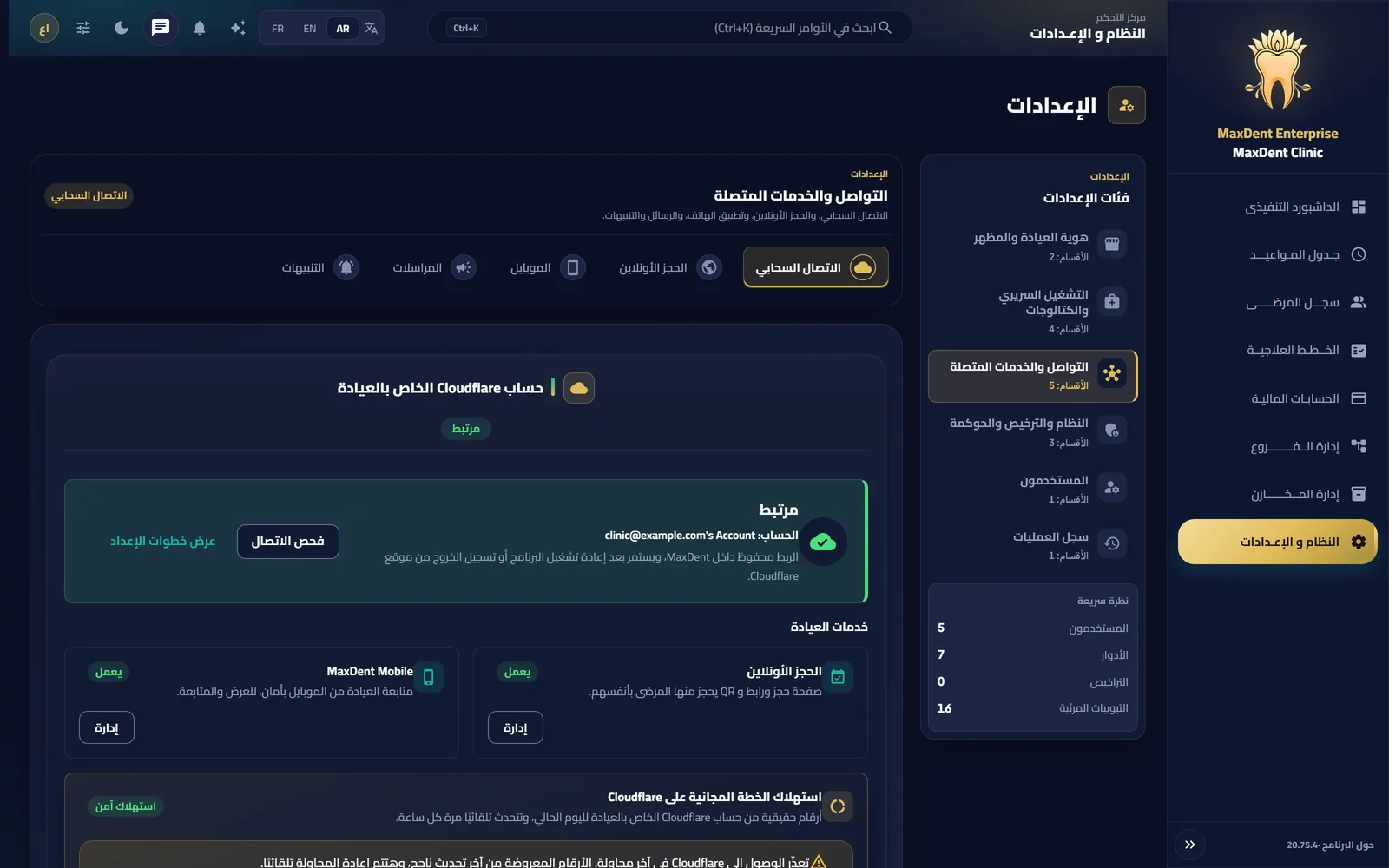
Two separate services running on your clinic's own Cloudflare account — your data stays yours.
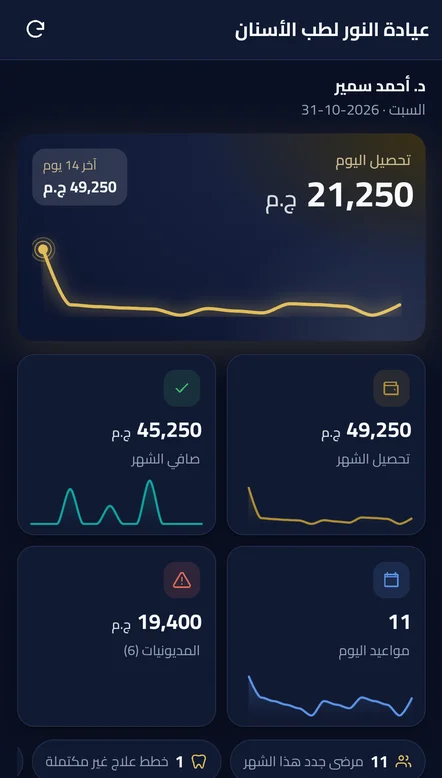
Follow today's appointments, patients, finance and labs from your phone, read-only per your permissions, with instant alerts for new bookings, reschedules, patient arrivals and payments — free with your license and during the trial.

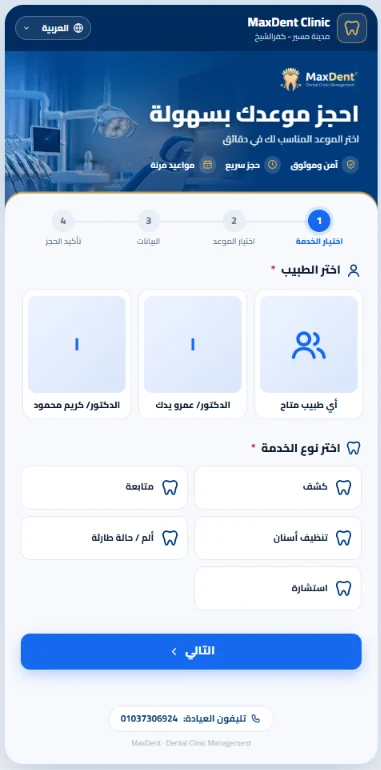
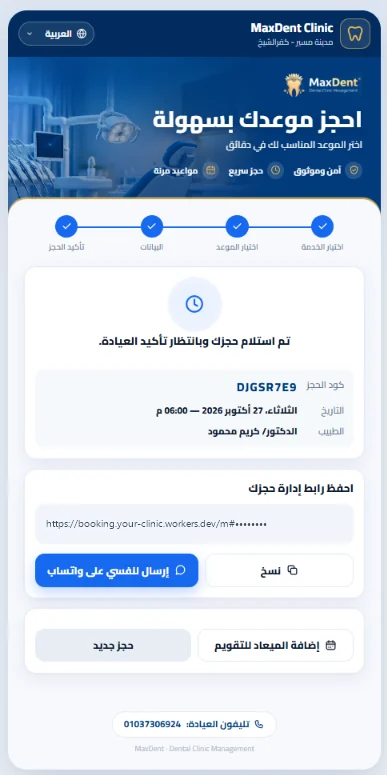
Patients pick the doctor, service and time and confirm — the booking reaches your schedule for review.
Pro and Enterprise run on Windows with one license and no upgrade fee; MaxDent Go is for the clinic that works from mobile.
For one clinic or branch, its team and its devices on the same network.
For centres and multiple branches with central management, reports and permissions.
For a clinic that wants to run entirely from phones and tablets, with no Windows PC.

Same price for Pro and Enterprise; Enterprise is per branch. MaxDent Mobile is included in every plan.
MaxDent Go: USD 250 per branch, paid once. MaxDent Go pricing
A quick tour from the first booking to the first payment and the first report. The video loads only when you press play.
MaxDent runs on your clinic network. The internet is needed for activation, updates and cloud services such as MaxDent Mobile and online booking. MaxDent Go (the mobile edition) works online only.
Pro is for one clinic or branch and includes inventory and purchasing. Enterprise is for multiple branches: MDSB1 branch linking, central reports, permissions and multi-branch inventory. You can switch between them on the same device with no upgrade fee.
The MaxDent edition for a clinic that runs entirely from phones and tablets, with no Windows PC: appointments, patient files, treatment plans, accounts and labs. The clinic data lives on its own free Cloudflare account, and you buy it once per branch with no subscriptions, after a 15-day free trial.
No. MaxDent Mobile is free with Pro and Enterprise and during the trial, and is switched on from the app using the clinic's own Cloudflare account.
Download and install MaxDent on Windows; the 15-day trial starts automatically inside the app, with no card required.
Choose a plan and pay securely, then activate inside the app with your purchase email and an OTP code. Manual activation through support remains available as a fallback.

15 full days with every feature. Then pick the edition and plan that fit you.